
Terminal
Your organization's subscription: $145 per organization per month, discounts apply. It opens the data room for every project and gives you a named Stobox manager. Every other product stands on it.
Guide: Billing and your plan →





The place for real-world assets. Open your organization once, prepare and tokenize what you own, and hold what is already tokenized. Every project gets a data room and a named Stobox manager; Intelligence, Raisable and Compass stand on top.
Free to register and to walk the first three steps. You pay when you open the data room.

Stobox Terminal is the base of Stobox: one organization with its companies, projects and people, a data room for every project, a named Stobox manager, and the company path of nine steps that Intelligence, Raisable and Compass stand on.
A company opening its first project, a fund holding several vehicles, and a person who wants a wallet of their own. Pick yours.
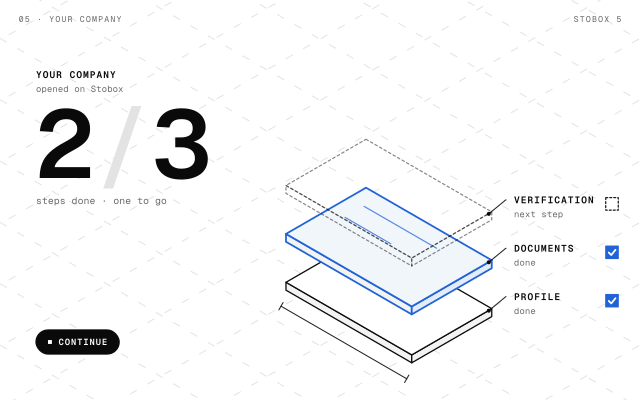
Your organization holds your companies, your projects and your people. Each project is the asset you are preparing, with the company behind it and a data room of its own.

Open the fund as the organization, then add a project for every vehicle or asset it holds. Investment fund is one of the project types the Terminal offers, and every project keeps its own data room.

Switch to Individual mode and you hold a Stobox Wallet of your own on Base, protected by a passkey or an authenticator app. It costs nothing.
One account works both sides of a real-world asset: the company preparing it and the person holding it.
Real estate · private equity and company shares · investment funds · debt · commodities · IP and royalties · revenue share
Free · the same account as Business mode
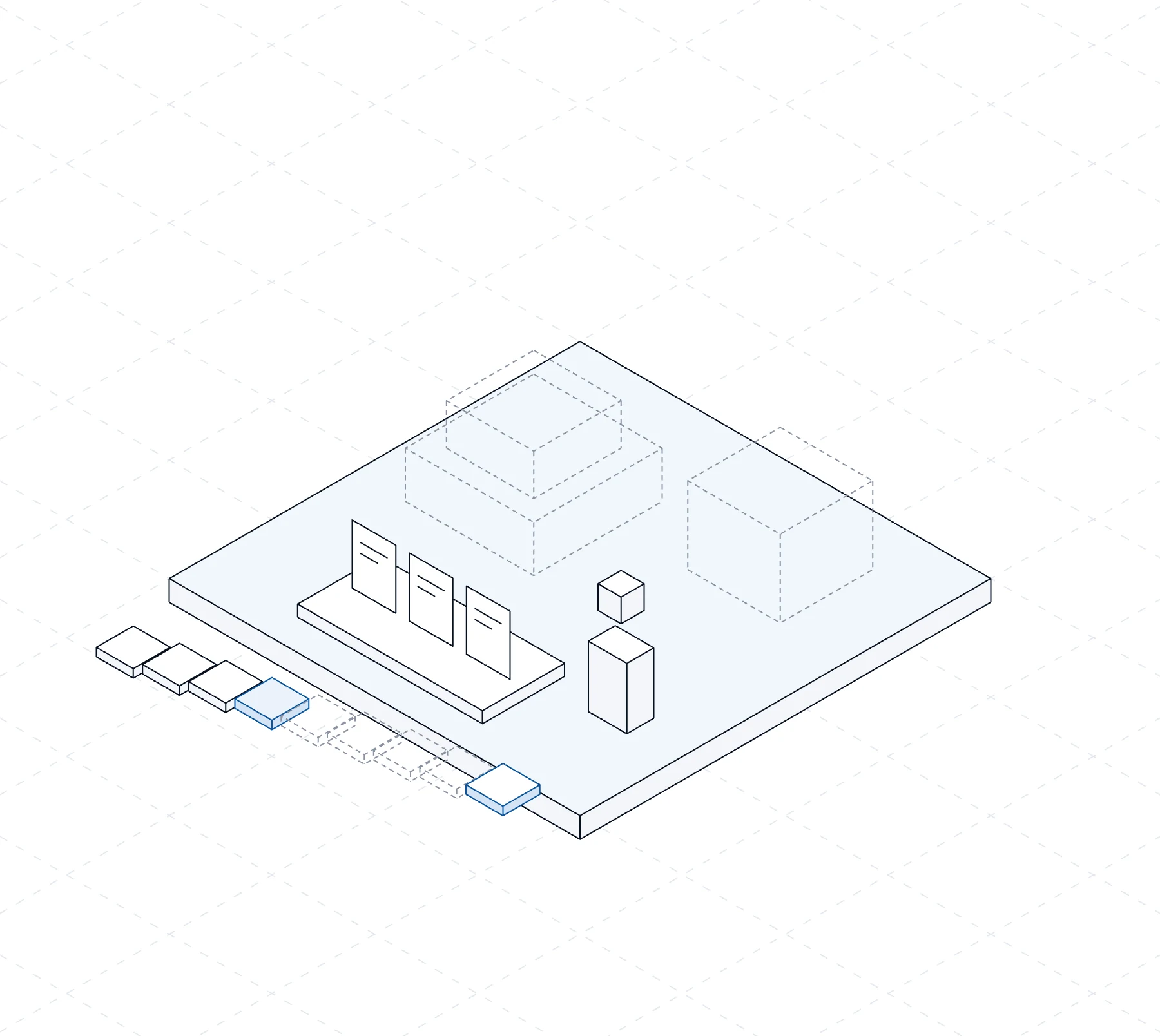
Solid is what Terminal gives you. Dashed is what you add when a project needs it. Each part opens its chapter of the guide.
Your organization's subscription: $145 per organization per month, discounts apply. It opens the data room for every project and gives you a named Stobox manager. Every other product stands on it.
Guide: Billing and your plan →Each project's documents by type: Corporate, Financial, Legal, Asset, Other. Every version is kept with who added it and when; a document is replaced or withdrawn with a reason, never deleted.
Opens with Terminal
Guide: Data room →A named Stobox manager works with your organization and its projects. Every Talk to us inside the product opens a ticket, and the answer comes back there.
Comes with Terminal
Guide: What Terminal gives →Nine steps from Organization to Monitoring, the same line on Home and on every project. Organization, Project and Goals are free; the step to do now is marked Now.
Guide: The company path →One sourced record of your company, built with the Stobox team: every answer points to the page it came from, and each goal you chose gets what it needs from the record.
$245 per month, on top of Terminal
Guide: Intelligence →Raise documents drafted from your record for your counsel: memorandum, subscription agreement and risk factors. Your counsel writes the final version. Built by Raisable Inc and distributed by Stobox.
By request · $195 per month
Guide: Raisable →Your token, issued with your company's keys. Its rules come from your signed documents, and its holders are matched to your register.
By request · going on chain $3,500 once per asset
Guide: Compass →On for every project: it watches the documents and their dates and the company check, and with Intelligence it keeps the record current.
Guide: Monitoring →
Open the organization once. Every project gets its data room and its manager, and every product you add later builds on the same base instead of starting over.
One subscription for the whole organization, not one per project. Everything below comes with it.
Documents by type, every version kept with who added it and when. Nothing is deleted.
A person at Stobox who works with your organization and its projects.
Nine steps from Organization to Monitoring, each one showing where the project stands and what comes next.
Twenty-five questions about the project, about eight minutes, a score on the project's Record tab. Free.
The organization's work and your own Stobox Wallet, in one account.
Intelligence, Raisable and Compass stand on Terminal and use the same projects and data rooms.
Solid is what Terminal gives you. Dashed is what you add when a project needs it. Round prices; pick a period of 3, 6 or 12 months and the discounted price appears before you pay.
The organization, a data room for every project, a named Stobox manager and the company path.
One sourced record of your company, built with the Stobox team.
Offering documents drafted for your counsel. Built by Raisable Inc and distributed by Stobox.
Your token, issued with your company's keys and set up with you by the team.
Discounts apply for periods of 3, 6 and 12 months; the discounted price appears when you pick a period. Raisable and Compass start by request: talk to us and we set them up with you.
The path every project walks. The first three are free, the fourth opens with Terminal, the rest switch on as the project needs them. Monitoring is always on.
Holds your companies, projects and people.
The asset you are preparing and the company behind it.
What the project is for. Each goal lights up the steps it needs.
The place of the project's documents.
One sourced record of your company.
A one-time check of your legal entity by an outside provider.
Raise documents drafted for your counsel.
Your token, set up with you by the team.
On for every project, once it runs.

Free
Your organization holds your companies, projects and people. It is the first step, and you complete it in the opening walk.

Free
A project is the asset you are preparing and the company behind it. Each project has a path of its own.

Free
A goal is what you want to do with the project. Each goal lights up the steps of the path it needs.

Opens with Terminal · $145 per organization per month
The place of a project's documents. You pay when you open it, once for the whole organization.

$245 per month, on top of Terminal
One sourced record of your company, built with the Stobox team from the documents in your data room.

Not open yet · $490 once per legal entity
The Company check: a one-time check of your legal entity by an outside provider, with who checked it and the date.

By request · $195 per month
Raise documents drafted from your record for your counsel. Raisable is built by Raisable Inc and distributed by Stobox.

By request · going on chain $3,500 once per asset
Your token, issued with your company's keys. Its rules come from your signed documents.

Always on, for every project
Once the project runs, Monitoring keeps it true: its documents and their dates, and the company check.

One organization holds your companies, projects and people.
PriceFree

Add the legal entity behind the project once, as it is registered.
PriceFree

The asset you are preparing. It stays private until you choose otherwise.
PriceFree

Twenty-five questions, about eight minutes, a score out of 100 on the project.
PriceFree

One place for the project's documents. It opens with Terminal, $145 per organization per month.
PriceOpens with Terminal

Corporate, Financial, Legal, Asset and Other. Every version is kept.
PriceWith Terminal

One sourced record of your company, built with the Stobox team, on the same data room.
Price$245 per month

The memorandum, subscription agreement and risk factors, drafted from your record. Your counsel writes the final version. Built by Raisable Inc and distributed by Stobox.
PriceBy request · $195 per month

The asset passport and the smart contract, signed by your company on chain. The rules come from your signed documents.
PriceBy request · going on chain $3,500 once per asset

On for every project: new documents land as they come, and the dates that matter stay in view.
PriceAlways on
Each project has a room of its own. A document goes in under its type, and it stays: a new version stands in front of the old one, it never replaces the history.
Corporate, Financial, Legal, Asset and Other, so a reader finds what they came for.
With who added it and when. Open the original of any version.
Always with a reason, and the reason stays on the record.
Nothing in a data room disappears. The history is the point.
Register, open the organization, add the first project and take the Readiness score without paying. Terminal starts when you open the data room.
Pick 3, 6 or 12 months and the discounted price appears before you pay.
Products on top: Intelligence $245 per month; Raisable $195 per month, $585 per month together with Terminal and Intelligence; Compass $245 per month, going on chain $3,500 once per asset. Raisable and Compass start by request. The full list is on the pricing page.
Stobox Terminal, step by step: what to press, what you see after and what comes next. Thirteen chapters, updated with every release.
 Talk to us
Tell us how your organization is built. We will show you how it maps to projects and data rooms, and what to switch on first.
One organization, a data room for every project and a named Stobox manager.
You are here →One record of your company, every answer with its evidence.
Read →Offering documents written from the record and signed off by your counsel.
Read →The console and the passport an issuer and a counterparty actually use.
Read →The permissioned tokenization protocol underneath: rules enforced on every transfer.
Read →
Registration, the first three steps of the company path and the Readiness score are free. Terminal is $145 per organization per month when you are ready for the data room.
RegisterOpen the Terminal →Updated 16 November 2026