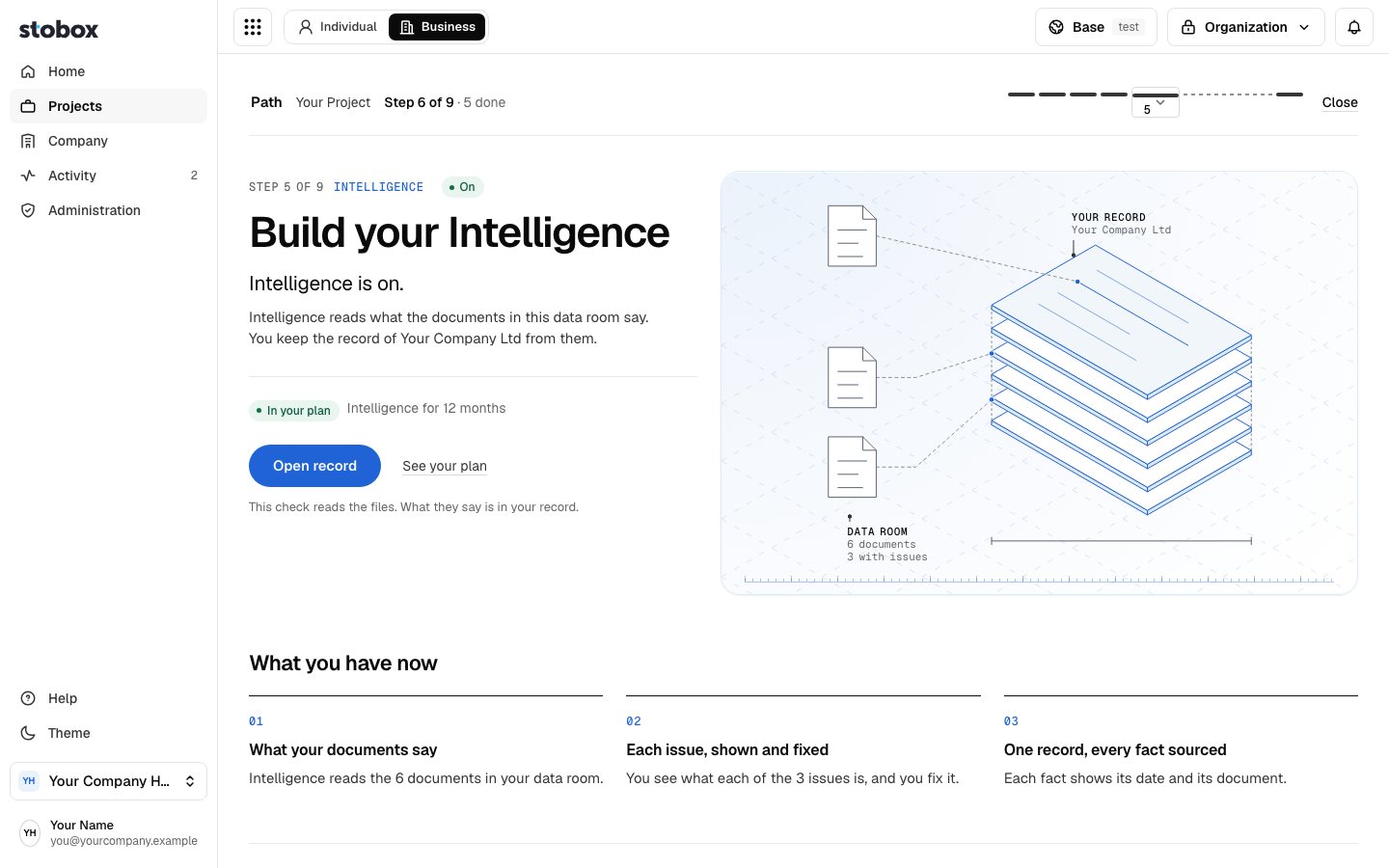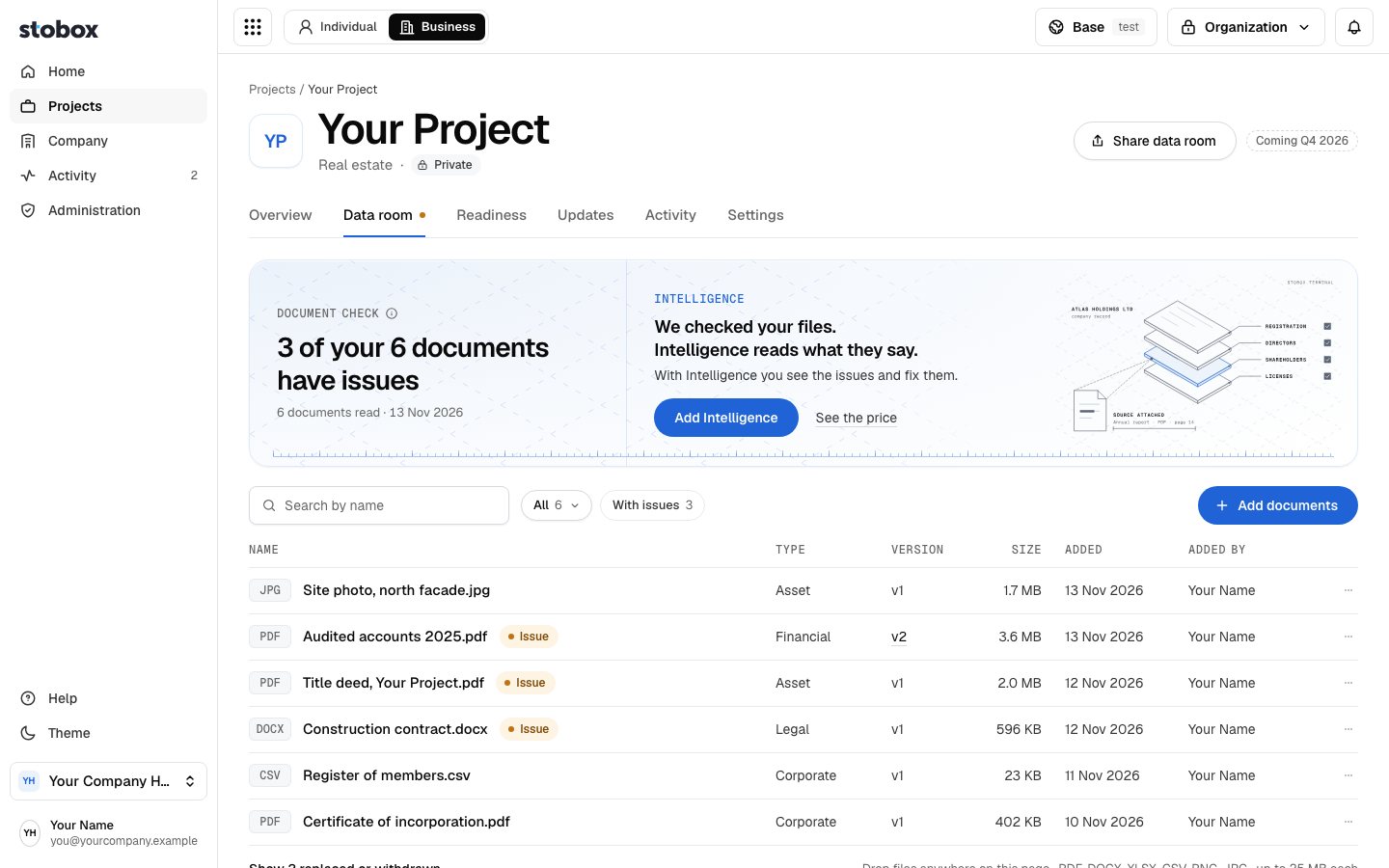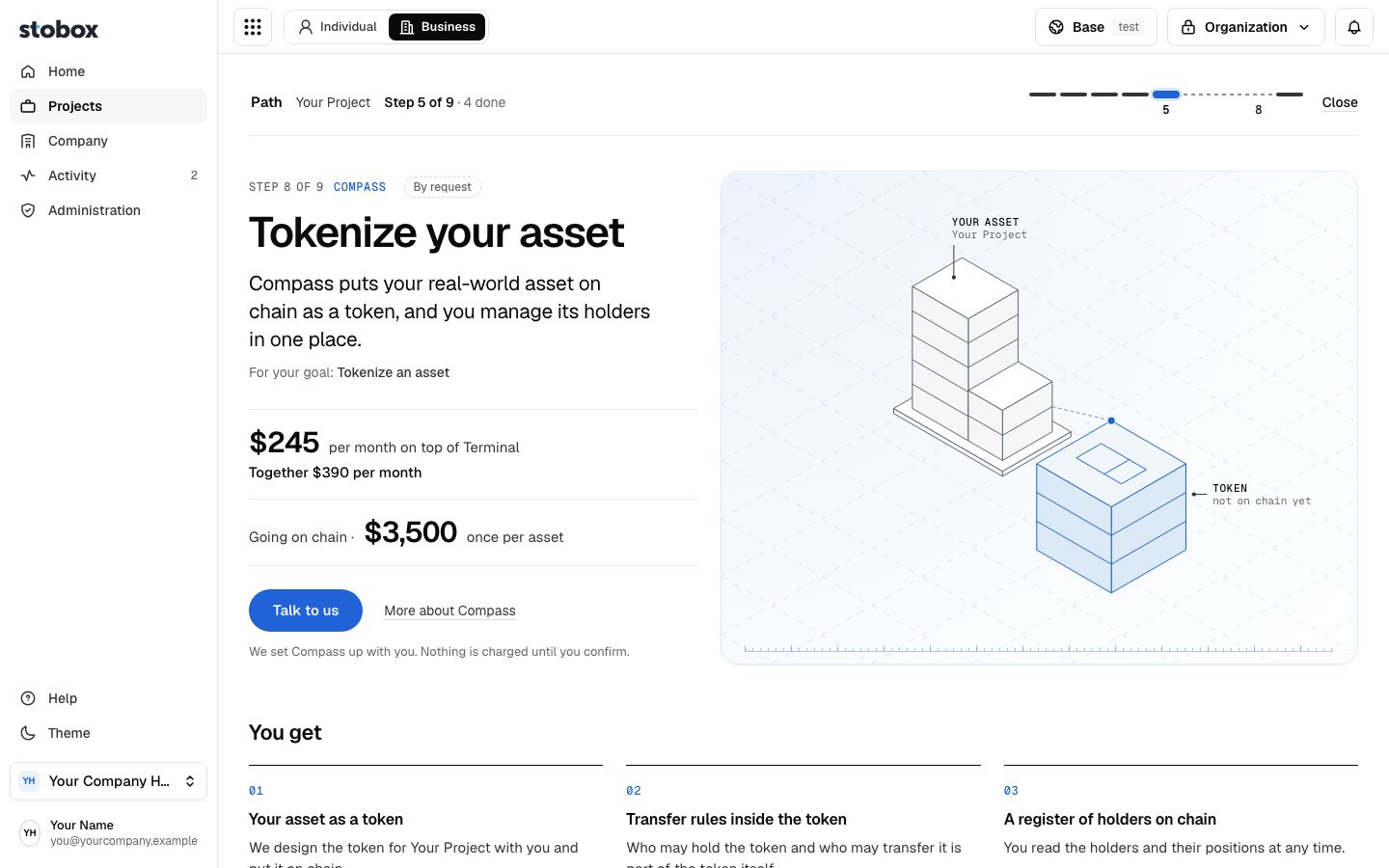

Executive Summary
Stobox RWA Terminal is where a company lives on Stobox: your organization, every project with its own data room, and a path of nine steps from your documents to a tokenized asset. It opened at app.stobox.io on 11 November 2026, and 5.0.16 is the sixth release since our last update, 5.0.10. It is the largest change to how the Terminal looks since launch. Your account, your data and the rules behind every action stay the same. What changes is how quickly you see where a project stands and what to do next.
Key Takeaways
- Every Business and Individual screen now uses one look, Route: the path is a ribbon of step cards, buttons and drawings share one blue, and the pages work on a phone and an iPad as well as a computer.
- A project opens with its cover and logo, and Preview as investor shows the page as an investor will see it.
- The first sign-in asks three short questions and opens Business or Individual for you; short tours light up one place at a time.
- Each project has an Activity tab with filters and an Updates tab; the organization has its own Activity page.
- A business can pay for its plan by card, by invoice in USDC on Base, or from its Stobox Wallet.
- The new stobox.io went live the same day, with six free tools that need no account.
A path you can read at a glance
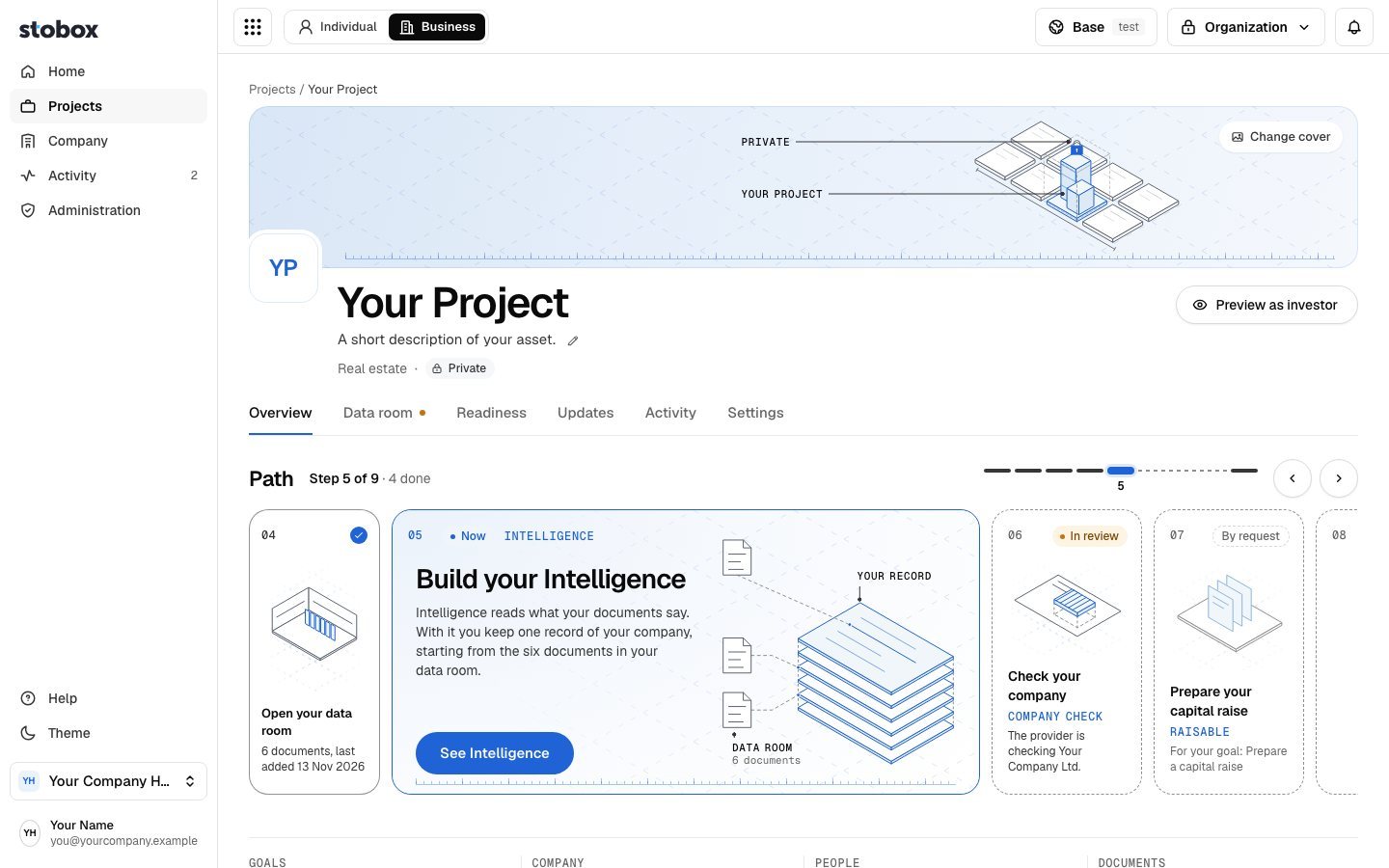
Home now opens with the next step of each project. The path of nine steps runs as a ribbon of cards: the steps you have done carry a tick, the step you are on is large and has one action, and the steps ahead are drawn in a dashed line with their state, such as In review or By request. Above the ribbon, a short line says where you are, for example Step 5 of 9, 4 done. Under it, the list of projects shows each one's step and its Initial Readiness, and the Organization panel shows your plan, your company and your people.
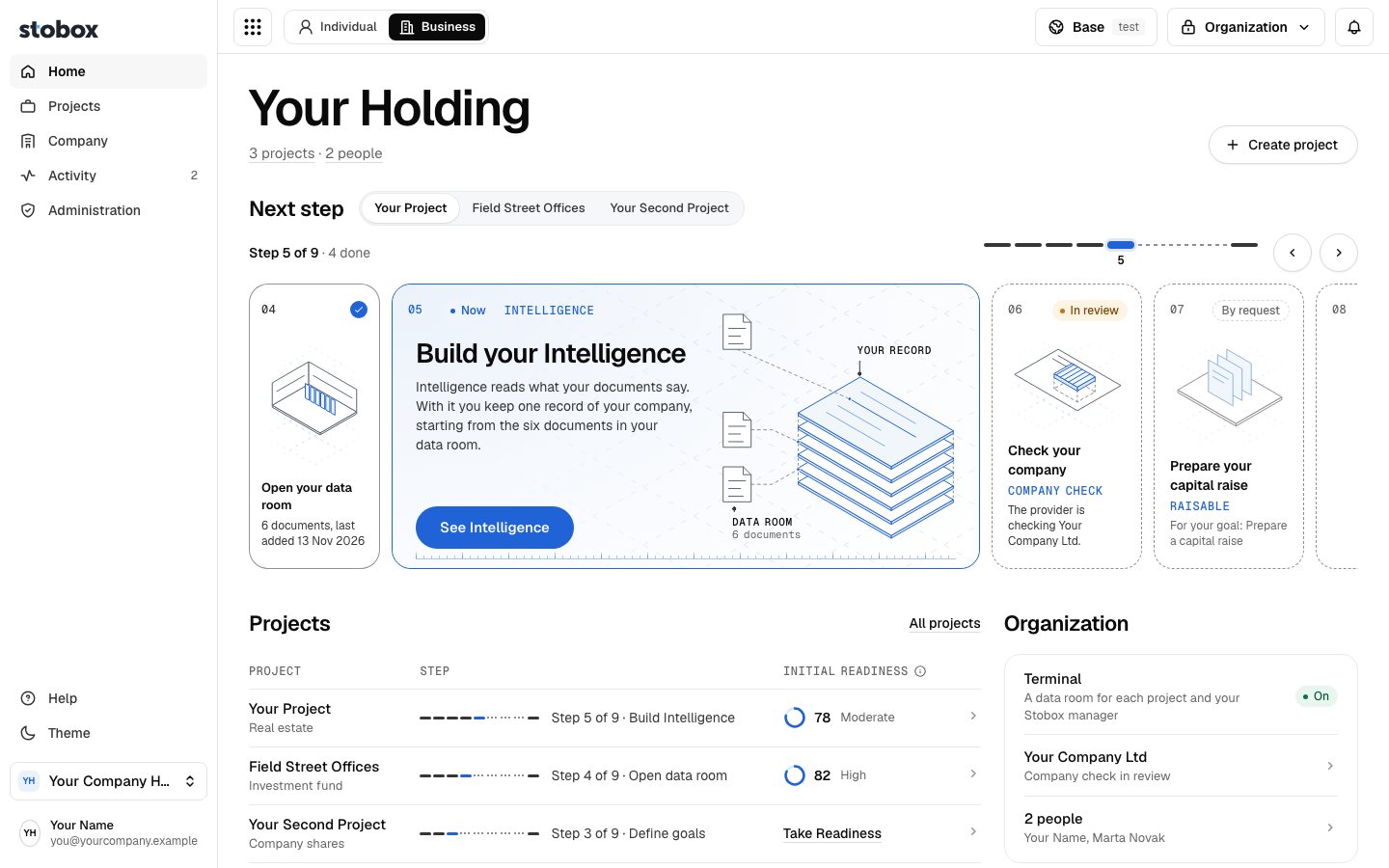
The whole Terminal uses one blue for buttons, links and the line drawings on each step, and each page title is set large, so the thing that matters is the first thing you read.
A project page that looks like the project
A project now opens with its cover and logo, its name and one line about the asset. Preview as investor shows the same page as an investor will see it. Under the tabs (Overview, Data room, Readiness, Updates, Activity and Settings) the path sits directly under the head, followed by four facts on one line: Goals, Company, People and Documents. Initial Readiness stays beside them as a quiet fifth line, because it is a first estimate, not the point of the page.
Starting a project is one form: your first project is step 2 of 9, and it is created the moment you press the button.
A guided first sign-in
The first time you sign in, three questions ask who you are, what you need first and how you found Stobox. The third one is optional, and Skip questions leaves them. Your answers open the right place for you: Business mode or Individual mode. Business mode starts with one action, Create organization; you become its Owner, and then you start your first project. All of it is free.
The first time you open your organization's Home, the screen dims and one place at a time is lit: the path, the menu of products, the data room, your company and Help. Press Next to go on, or Skip tour to end it. The data room and the Company page each have a short tour of their own, and Help has Take the tour again.
Updates and Activity
Each project now keeps its own story. The Activity tab lists every change by day: one sentence per change, who made it, where in the project and at what time. A filter splits the list into All, Data room and From Stobox, and each part shows its count. The Updates tab holds the project's news, written by your team.
Your organization has an Activity page of its own, with the unread count in the head, one Mark all as read, and a filter for All, Projects and Organization. Times are shown in UTC.
Three ways to pay
An order is placed in three steps. A business can pay for its plan by card, for 1, 3, 6 or 12 months, and the plan opens when the payment goes through. It can pay by invoice in USDC on Base, for 3, 6 or 12 months: you send USDC to the address on the screen, press I've paid, and we e-mail you when your manager confirms it. Or it can pay from its Stobox Wallet in one step, and the plan opens at once. The Terminal subscription, $145 a month for your organization, is the base of the business account, and Stobox Intelligence, $245 a month, is added on top of it. The pricing page has the periods and discounts.
For individuals
Individual Home, the Stobox Wallet, Send to a person, Withdraw, the address book, assets and the trade sheet all take the Route look. How money moves did not change: limits, protections and checks are exactly as they were, and you still sign every action yourself with a passkey or an authenticator app.
What Stobox does, and why it matters
Stobox works on the intelligence and tokenization of real-world assets. Since 2018 we have worked with more than 100 companies in more than 20 jurisdictions. What we have learned is simple: a token is only as strong as the record behind it. Who owns the asset, what the documents say and which rules apply decide whether an investor, a lender or an auditor will act. A token cannot answer those questions on its own.
That is why the Terminal starts with the record, not the token. Your organization and your projects live in one place, each project has its own data room, and the path takes you from documents, through Stobox Intelligence, a company check and a raise, to a tokenized asset when you are ready. Stobox Intelligence keeps one record of your company, and every answer in it points to the document it came from. Registration is free; you pay only for the products you add.
A new stobox.io, and free tools
The new stobox.io went live on 24 November 2026, the same day as 5.0.16. Six free tools at stobox.io/tools each answer one question you have today, and none of them needs an account.
- Readiness score: 25 questions across seven directions and one score out of 100.
- Record gap check: paste your data room index and see which of the 36 facts a counterparty asks for first are never mentioned.
- Raise planner: four questions on where your investors are and who they are, then the jurisdiction guide and the exemption that follow.
- The framework: eight phases and 48 steps of tokenization, with who signs each decision.
- MCP server: connect Stobox knowledge to your own AI, with a link to every page it used.
- Glossary: 77 terms of tokenization in plain language.
None of these tools replaces counsel, and each one says so on its page.
Where to read more
The Terminal guide at stobox.io/learn/terminal is versioned with the product: it now reads 5.0.16, and every chapter whose screens changed was read against them again.
FAQ
What is new in Stobox RWA Terminal 5.0.16?
Every Business and Individual screen in one look, Route; a project page with its cover, logo and Preview as investor; a first sign-in with three questions and short tours; and Updates and Activity for each project and for the organization.
Does anything change in how my wallet works?
No. Send, Withdraw, limits, protections and checks work as before; only the look changed.
How do the three questions work?
They ask who you are, what you need first and how you found Stobox; the third is optional, and you can skip them. Your answers open Business or Individual mode for you.
How can a business pay for the Terminal?
By card for 1, 3, 6 or 12 months, by invoice in USDC on Base for 3, 6 or 12 months, or from its Stobox Wallet in one step.
This article describes a product. It is not an offer of any security or token and not investment advice.